
Control your Kubernetes clusters from anywhere
An AI-powered DevOps agent running inside your cluster. Diagnose incidents, run kubectl, and manage pods from your phone via Claude Code.
What is RemoteKube?
RemoteKube is an open-source tool that deploys Anthropic's Claude Code as a containerized AI agent inside your Kubernetes cluster. Once running, it gives you remote access to kubectl, Helm, and 32+ pre-installed DevOps tools through natural language — directly from your phone, tablet, or browser via Claude's Remote Connect.
Built for SREs, DevOps engineers, and platform teams, RemoteKube eliminates the need to open a laptop, establish VPN tunnels, or manage SSH keys during incidents. Get paged at 2am, open Claude on your phone, and start diagnosing — check pod status, read logs, inspect configs, and resolve issues in minutes.
It deploys on any conformant Kubernetes distribution — Amazon EKS, Google GKE, Azure AKS, k3s, KIND, and more. Choose from three RBAC security tiers (readonly, operator, airgapped) and three startup modes (interactive, remote-control, headless) to match your security posture and workflow. NetworkPolicy isolation ensures egress-only networking with no inbound ports exposed.
Key Capabilities
Everything you need to manage Kubernetes from anywhere
Remote Control
Manage your cluster from your phone or claude.ai. Start a session, run diagnostics, and resolve incidents without opening a laptop. (Linux support coming soon.)
MCP Kubernetes Integration
In-cluster read-only access to 14 Kubernetes resource types via kubernetes-mcp-server. Query pods, deployments, services, and more.
Three Startup Modes
Interactive for hands-on work, remote-control for mobile access, or headless for automated scripted operations.
Tiered RBAC Security
Choose readonly, operator, or airgapped security profiles. Fine-grained Kubernetes RBAC with NetworkPolicy isolation.
32+ DevOps Tools
kubectl, helm, k9s, stern, trivy, grype, and 26 more tools pre-installed. A complete debugging toolkit in one container.
NetworkPolicy Isolation
Egress-only networking with DNS, HTTPS, and Kubernetes API restrictions. No inbound ports exposed. Defense in depth.
How It Works
Phone to cluster in milliseconds
Get Started
Three deployment methods to match your workflow
KIND (Local Development)
Docker Compose (Standalone)
Helm (Production)
See It in Action
Claude Code running inside a KIND cluster with full access to Kubernetes APIs and network tools
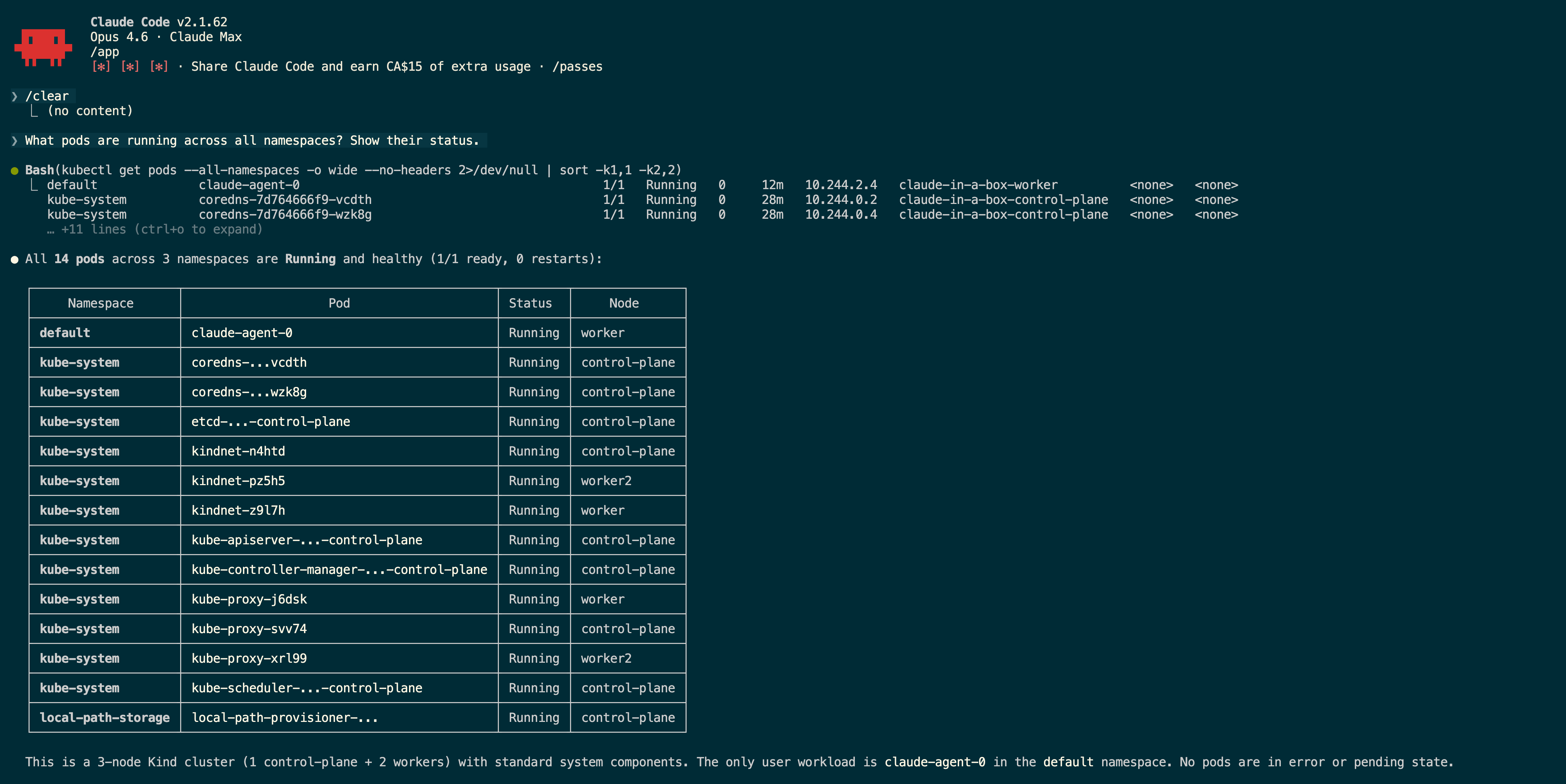
Cluster-Wide Pod Status via Kubernetes MCP Server
Ask a natural language question and get structured output from the Kubernetes API — no kubectl needed.
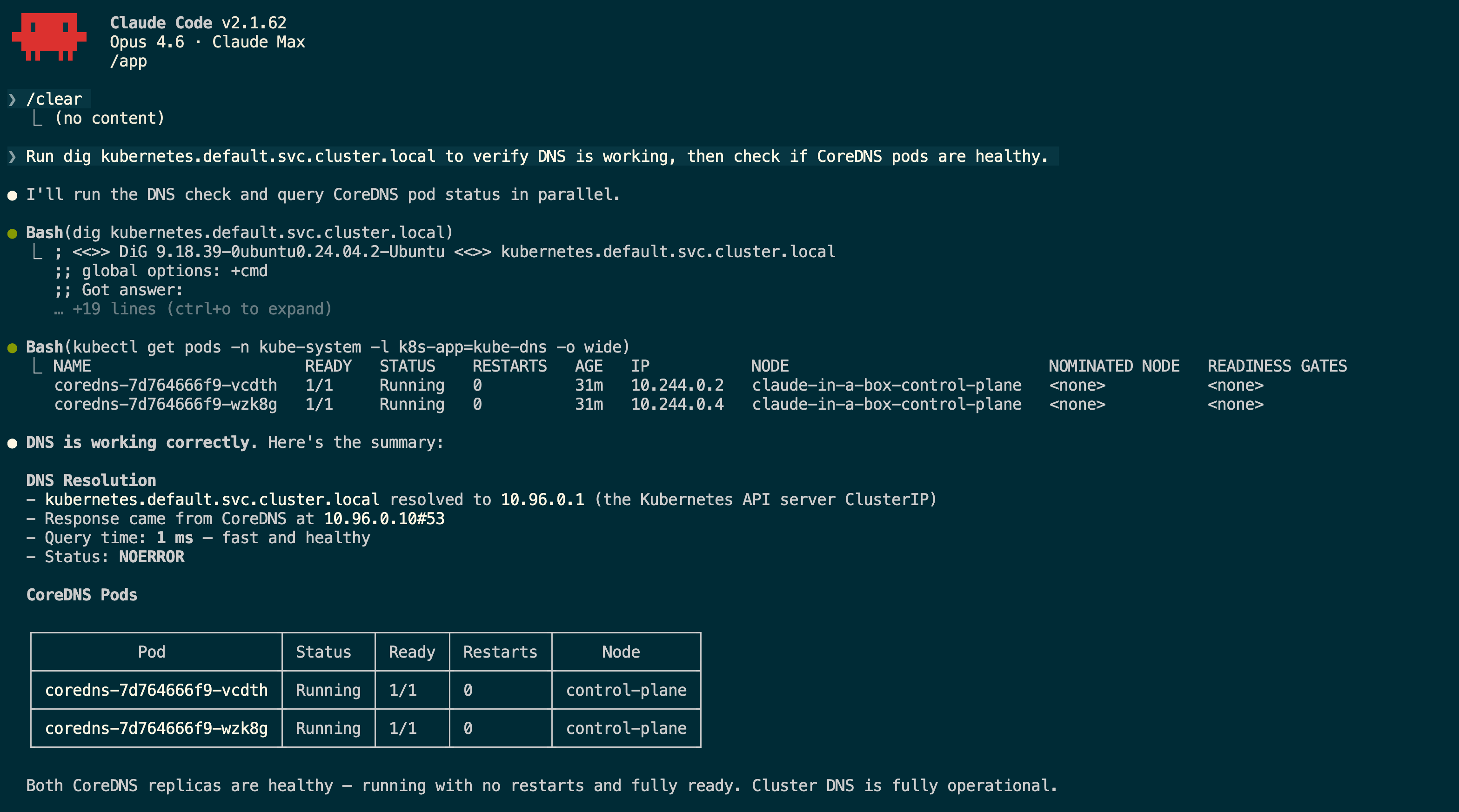
In-Cluster DNS Verification & CoreDNS Health Check
Network tools run directly inside the pod — dig, curl, nmap all have cluster network access without kubectl exec.
Real-World Use Cases
How teams use RemoteKube in production
Incident Response
Check pod status, read logs, and diagnose issues from your phone during on-call. No VPN or laptop required.
Remote Debugging
Exec into pods, inspect configs, and trace network issues from anywhere. Full debugging toolkit at your fingertips.
Cluster Monitoring
Watch deployments, check resource health, and review events without setting up port forwards or VPN tunnels.
Automated Operations
Use headless mode for scripted health checks, automated reporting, and routine maintenance tasks.